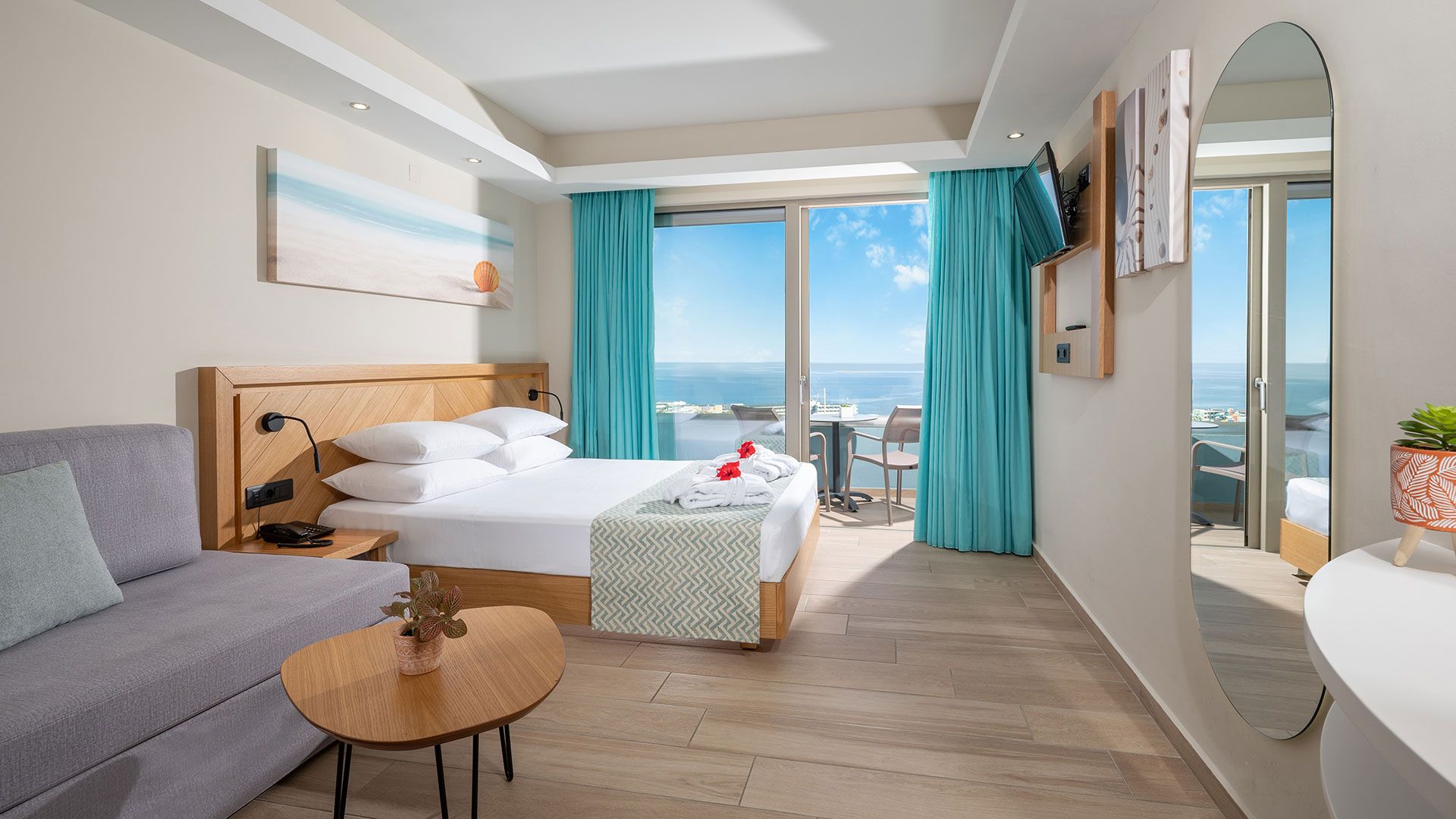
Hotel room with a sea view from the balcony
reference project — Royal & Imperial Belvedere, hotel automation

Belvedere · Room Management SystemEvery room, on one reception screen

At the Belvedere, the room knows by itself when a guest is inside. It switches on what is needed, switches off what wastes energy, and tells reception and housekeeping straight away.
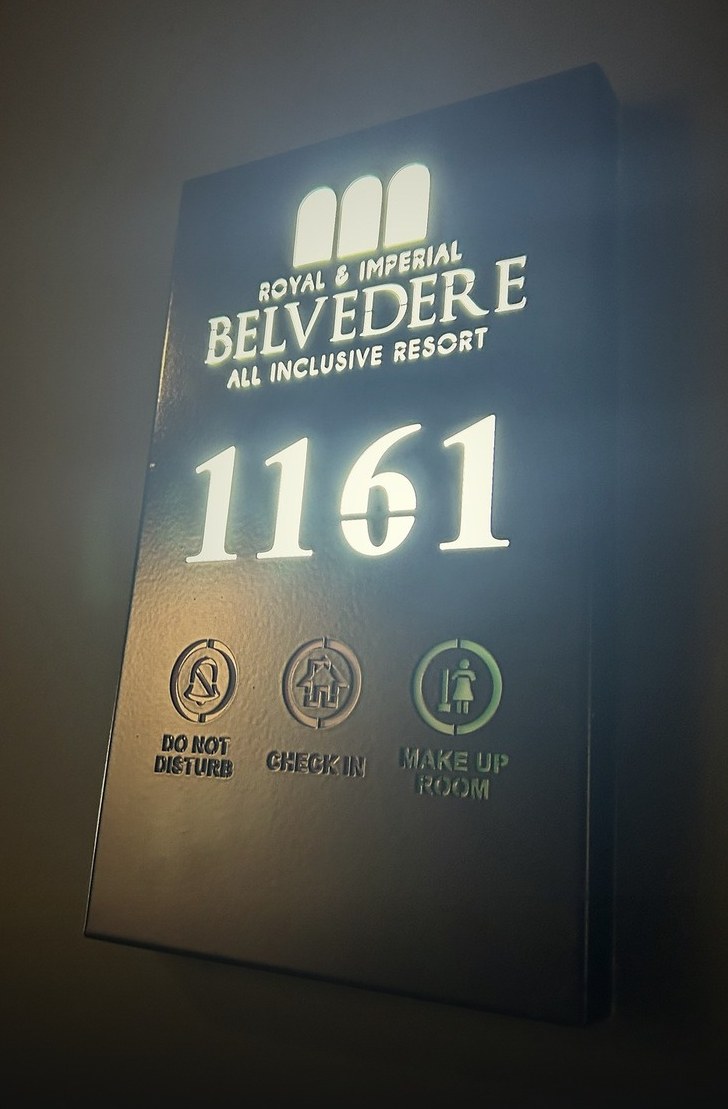
Illuminated sign of room 1161 showing Do Not Disturb, Check in and Make up room
The room signWhat the corridor sees, reception sees too.Do Not DisturbCheck inMake up room
← back to reference projects
hotelRoyal & Imperial Belvedere
clientHIGHDRO — Innovative Water Technologies
categoryHotels — Room management
systemSiemens LOGO! 8 & S7-1200
scopeAutomation design & implementation

Room control without key cards

For HIGHDRO, KP Automation designed and implemented the automation of the Room Management System, a solution for hotels that runs at the Royal & Imperial Belvedere. Every room has its own Siemens LOGO! 8 controller, which decides on its own based on the door, the presence sensor and the balcony door. A Siemens S7-1200 collects the data from all rooms and shows it on one reception screen, floor by floor.

The system works with the door locks the hotel already has. No key cards and no lock changes are needed, and it is designed around the needs of each hotel.
0entry cards: it works with the locks you already have
1screen for the whole hotel
∞rooms: from a boutique hotel to a large resort
Siemensindustrial hardware in every room
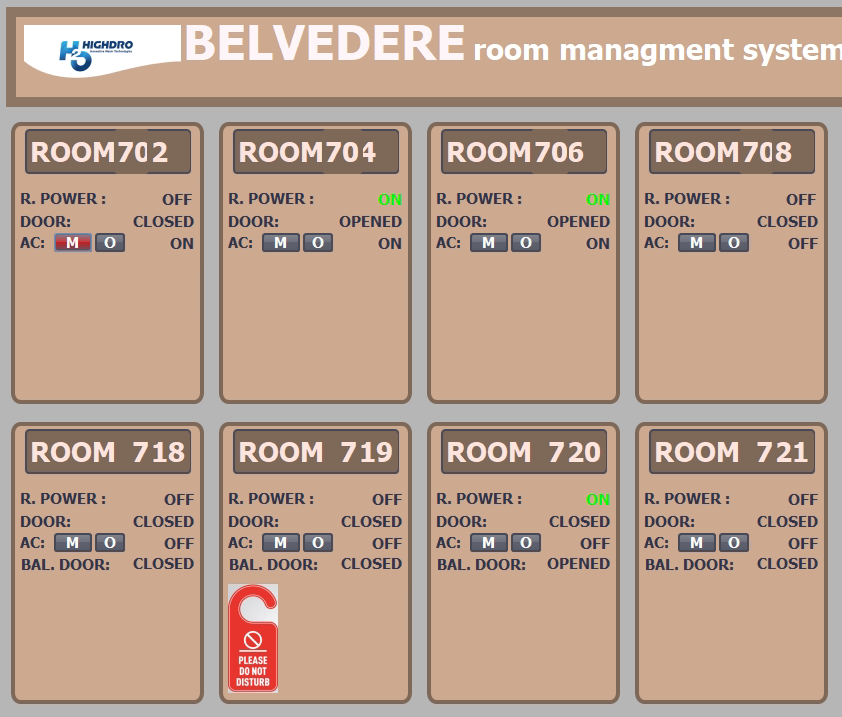
Room Management System screen from a hotel installation, showing the status of every room
The reception screen: one card per room.

Know what is happening in every room

  • R. POWERRoom power

    On when a guest is present, cut when they leave.

  • DOOREntrance door

    Open or closed, at a glance.

  • BAL. DOORBalcony door

    When it opens, the air conditioning switches off.

  • AC · M / OAir conditioning

    M = Manual ON, O = Manual OFF. Reception switches it on or off from the screen, for example before the guest arrives.
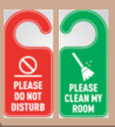
Do Not Disturb door sign

Do Not Disturb / Clean my room. The guest presses one button. The signal appears on the screen and housekeeping knows where to go.

How the room knows a guest is inside

1 · door

The door closes

The door contact shows that someone came in or went out.

2 · sensor

Movement is detected

The presence sensor confirms whether someone is inside.

3 · decision

The room adapts

With a guest: power and air conditioning. Without a guest: everything switches off.

One solution, four teams who use it

Owner

  • No air conditioning running in an empty room or with the balcony door open.
  • No key cards, no lock changes.

Technical manager

  • Siemens industrial hardware, not a “smart gadget”.
  • Every room works on its own, even without the network.

Reception

  • All rooms on one screen, floor by floor.
  • Air conditioning ready before the guest walks in.

Housekeeping

  • Knows which room asks for cleaning and which for quiet.
  • Enters when the guest is out.

Simple by design, so it stays reliable

Room 702LOGO! 8 Room 704LOGO! 8 Room …LOGO! 8 Ethernet switchper floor Siemens S7-1200collects data fromall rooms Room Managementreception computer as many rooms as you need

Every room has its own LOGO! controller and decides on its own. The reception screen monitors and sends commands. If the computer or the network stops, the rooms keep working normally.

Why Siemens LOGO! 8

Proven reliability

An industrial controller that works for years in panels, pumping stations and buildings, in heat and humidity.

Available everywhere

Available from every major electrical wholesaler in Greece, usually from stock.

Replaced in minutes

All rooms run the same program. With a spare in storage, replacement is done on site.

Open standard

Modbus TCP over plain Ethernet. You are not tied to a closed system or a subscription.

Safe low voltage

Doors, sensors and buttons run at 12 V DC, safe for staff and guests.

Low cost

Standard, widely sold hardware, with no expensive special spare parts.

Designed around your needs

We start from your building and the way your staff works. The system is built around them.
  • The hotel’s logo and colours on the screen.
  • What is controlled in each room: power, air conditioning, lights, heating.
  • For new buildings and for renovations.
  • Screens per floor, wing or room type.
  • Timings and operating scenarios as you want them.
  • New rooms added whenever needed.

And when you want more

  • Room temperature on the screen.
  • Energy report per floor and per month.
  • Emergency button in the bathroom.
  • Water leak detection.
  • Event history per room.
  • Access from a tablet or phone.
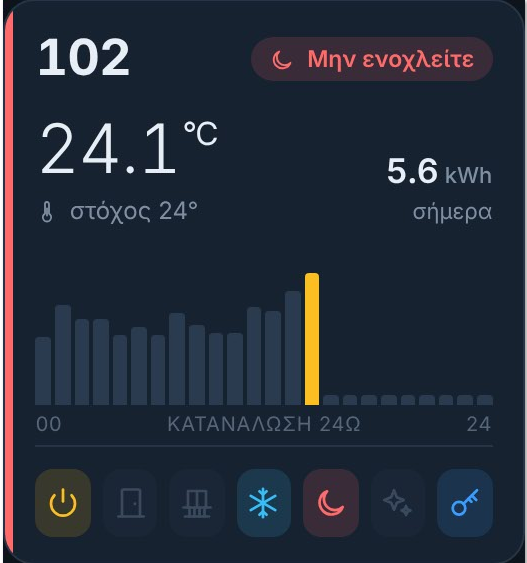
Room 102 card showing 24.1 °C, 5.6 kWh today and a 24-hour consumption chart
Example room card with temperature and 24-hour energy consumption.

Want to see the system running?

We show it running and tailor it to your own hotel.